How to open and read .md files on a Mac
An .md file is a Markdown file: plain text with simple marks for headings, lists and tables. Out of the box, a Mac opens it as plain text, usually in TextEdit, so you see the # and ** marks instead of formatting. To read it formatted, open it in an app that renders Markdown: a viewer such as Pagewide, or an editor with a preview, such as VS Code.
The rest of this guide shows what each option looks like, then how to read one file, a whole folder, or every .md file by default.
What happens when you double-click an .md file
A Mac treats an .md file as text. Double-click it and it opens in TextEdit, or in Xcode if Xcode is installed. Both show the raw text.
Quick Look (select the file and press Space) shows the raw text too. Nothing is wrong with the file. You just need an app that turns the marks into formatting.
Your options for reading Markdown on a Mac
Each kind of app suits a different job. If you mostly read Markdown, a viewer is the shortest path. If you mostly write it, use an editor.
| App | Kind | Cost | Good for |
|---|---|---|---|
| TextEdit | Built in | Free | Editing the raw text. No formatting |
| Quick Look | Built in | Free | A glance at the raw text in Finder |
| VS Code | Code editor with a preview | Free | Writing Markdown next to code. Press ⇧⌘V for the preview |
| Obsidian | Notes app | Free | Writing and linking your own notes in one folder, its "vault" |
| Typora | Editor that formats as you type | Paid | Writing documents that look finished as you go |
| Pagewide | Viewer, read-only | $15 once | Reading files and folders other people or AI tools wrote, with tables that fit the window |
We make Pagewide, so weigh that. The free options are real options: if you already live in VS Code, its preview may be all you need.
Read one .md file in Pagewide
- Install Pagewide: open the zip from your download link and drag Pagewide to Applications.
- In Finder, Control-click the .md file, choose Open With, then choose Pagewide.
- Read. The file appears formatted, at the full width of the window. When the file changes on disk, the page reloads at your place.
You can also drag a file onto Pagewide's Dock icon, or press ⌘O in Pagewide and pick it.
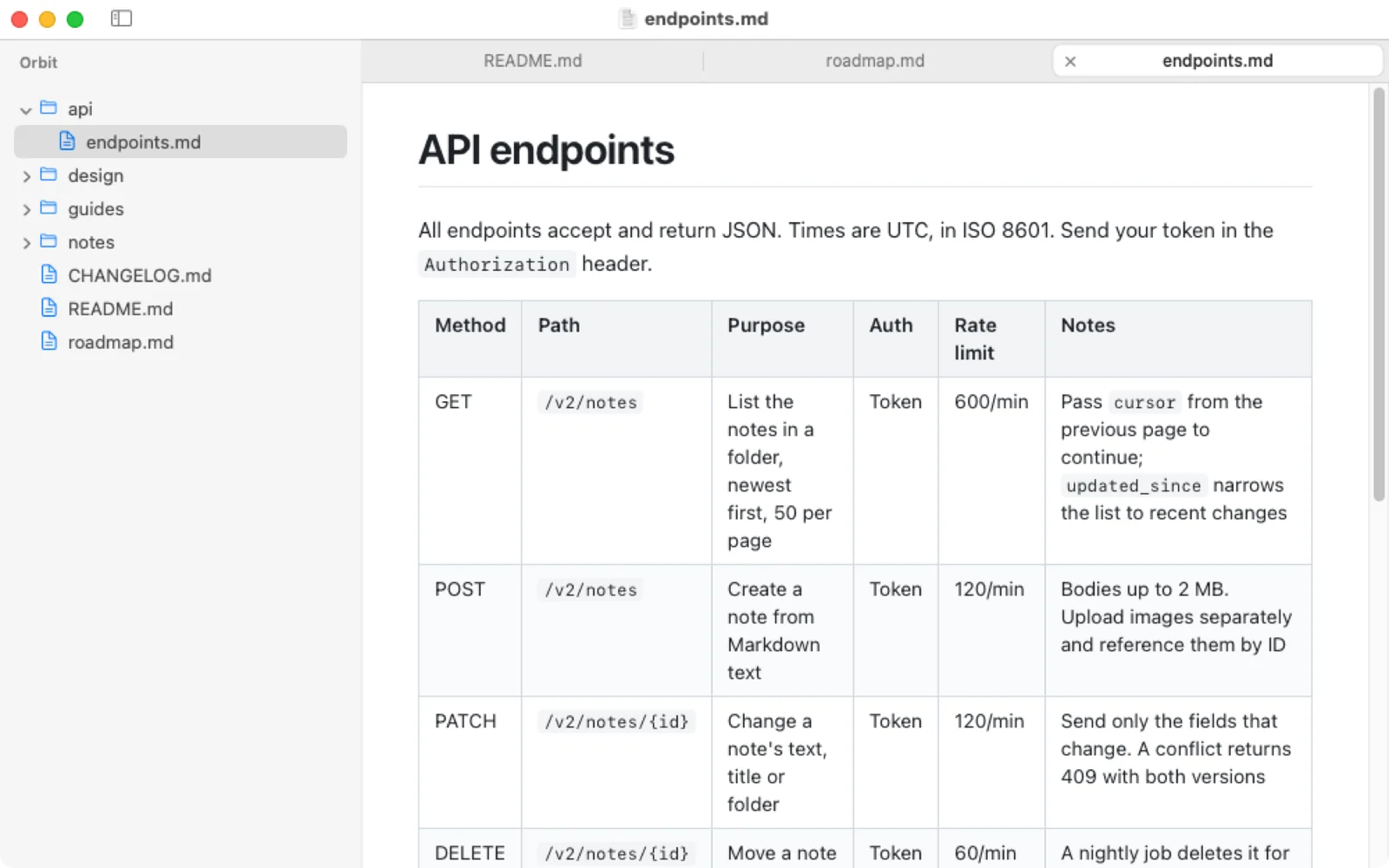
Read a whole folder of Markdown
Project docs, notes and AI-written plans usually come as a folder of .md files, not one. In Pagewide, choose File › Open Folder… (⇧⌘O). The folder's Markdown files appear as a tree in the sidebar, and each one you click opens in a tab. The guide to reading a folder of Markdown covers tabs, split view and the links between files.
Open every .md file in your chosen app
To make double-click open .md files formatted, set a Markdown app as the default once, in Finder's Get Info window. The steps, including other extensions such as .markdown, are in how to make a Markdown app the default.
Tables that run off the side
Markdown tables are where most viewers struggle. A table with long file names or many columns often runs off the right edge, so you scroll sideways to read each row. Pagewide fits every table to the window instead. Why wide tables happen, and how to read them whole shows the difference.
Questions
What is an .md file?
An .md file is a Markdown file: plain text that uses simple marks, such as # for a heading and ** for bold, which a Markdown app turns into formatting. README files, documentation and notes from AI coding tools are usually Markdown.
Can I open an .md file without installing anything?
Yes. TextEdit opens any .md file, and Quick Look shows it in Finder, but both show the raw text with its marks. To see the formatting you need an app that renders Markdown.
Is it safe to open an .md file?
An .md file is plain text, so opening it in a text editor or a viewer is safe. Pagewide also stops Markdown from running scripts, loading frames or submitting forms, and it never launches a program from a link.
Are .md and .markdown the same?
Yes. Both extensions hold the same Markdown text, and so do .mdown and .mkd. The guide to Markdown file extensions lists them all, including R Markdown and Quarto files.
References
- Apple, Choose an app to open a file on Mac.
- Visual Studio Code, Markdown and Visual Studio Code.
- CommonMark, the Markdown specification.