Wide Markdown tables: why they scroll sideways, and how to read them whole
A Markdown table runs off the side when its narrowest possible layout is still wider than the window. Each column can only shrink to its longest word, and file names, paths and URLs usually can't break. Most previews then add a sideways scrollbar or cut the table off. To read it whole, either write the table so it can wrap, or read it in a viewer that fits tables to the window, as Pagewide does.
Below: what causes it, what different apps do, how to write tables that fit, and how Pagewide handles the ones you didn't write.
Why a Markdown table gets too wide
A browser lays out a table by asking each column how narrow it can get. The answer is the longest piece of text in that column that can't be split. Add those up across every column, plus the padding, and that is the table's minimum width.
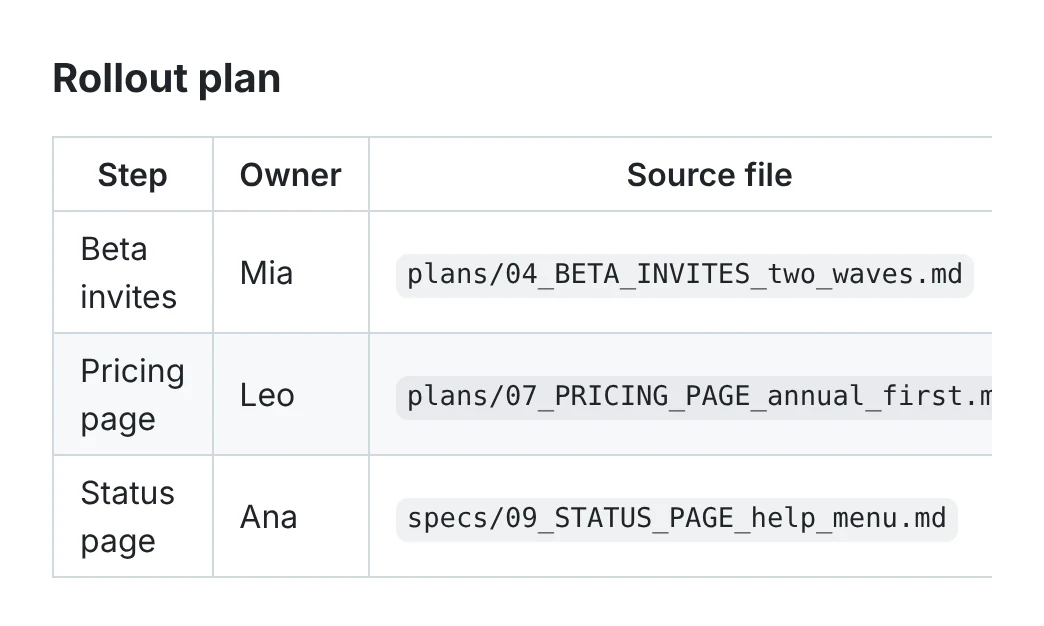
Ordinary words are short, so prose columns wrap easily. The trouble is unbreakable text: a path such as plans/07_PRICING_PAGE_annual_first.md, a long URL, an ID, or a code name joined with underscores. A browser won't split those by default, so one long path can set the width of a whole column.
The other cause is a narrow window. A table that fits a full screen can overflow in a side pane: an editor's preview next to your code, a chat panel, or one half of a split view.
What most Markdown previews do with a wide table
When a table is wider than its space, an app has three choices: scroll it sideways, cut it off, or change how it looks. All three are in use.
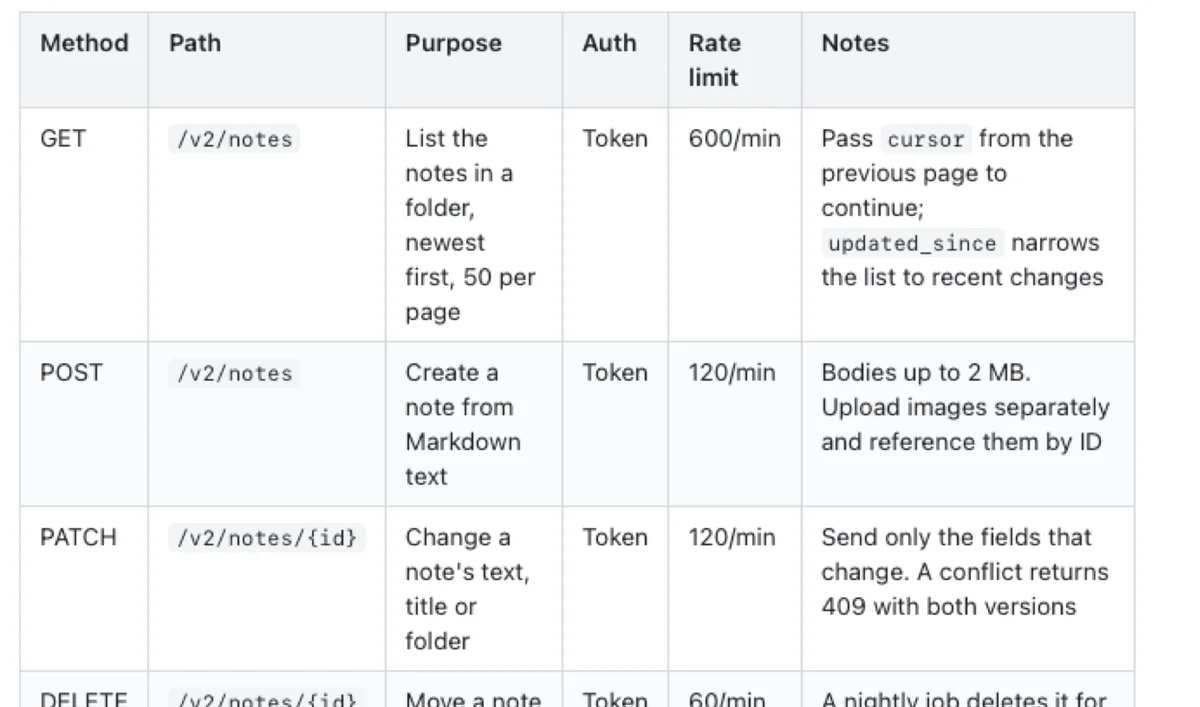
- Sideways scrolling. GitHub's Markdown styles make an overflowing table scroll inside its own box. Many previews borrow those styles.
- Cut off. Some panes hide whatever doesn't fit. Users of several AI and terminal tools have reported tables clipped at the edge, with no way to scroll.
- Rearranged. Some chat interfaces turn a wide table into a list of label and value pairs. It fits, but you can no longer compare rows.
How to write Markdown tables that fit
If you write the table, a few habits keep it narrow. They help in every app, including on GitHub.
- Keep long paths out of cells, or shorten them. Put the full path in a sentence below the table, or show only the file name.
- Fewer columns. Five or six is plenty for a screen. Split a table that needs more, or turn rarely used columns into notes.
- Put explanations in the last column. A wide "Notes" column at the end wraps well, because it is prose.
- Turn a very wide table on its side. If it has many columns and few rows, swap rows and columns.
For a website, a common fix is CSS that lets long text break inside cells, such as overflow-wrap: anywhere on table cells. That is close to what Pagewide does for you.
How Pagewide reads wide tables whole
Pagewide fits every table to the window and never scrolls it sideways. Every table spans the page, and its cells wrap at word boundaries. If a table still comes out too wide, Pagewide takes three steps, one at a time, and stops as soon as the table fits:
- Code and links may break anywhere. These are usually the long, unbreakable parts, so this alone fixes most tables.
- The cells get tighter, with less padding and slightly smaller text.
- As a last resort, any word in that table may break.
Ordinary words stay whole unless nothing else works. Pagewide checks again whenever the window changes size, so a table that needed help in a narrow pane goes back to normal in a wide one.
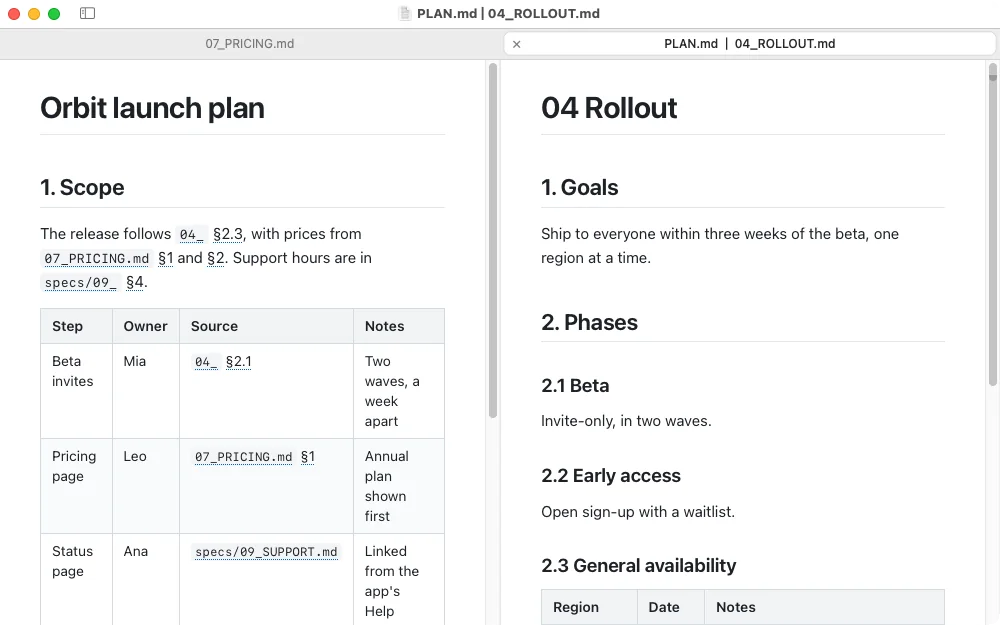
This matters most for files you didn't write. AI coding tools, generated docs and exported reports put long paths in tables all the time. Reading a whole folder of them is where Pagewide is meant to help.
Questions
Can I make a Markdown table scroll horizontally on purpose?
Markdown itself has no setting for it. On a website, wrap the table in a box with CSS overflow-x set to auto, or use styles that do this already, such as GitHub's. The app or site that shows the Markdown decides, not the file.
Why does my table fit on GitHub but not in my editor's preview?
Usually because the preview pane is narrower. The table's minimum width stays the same, so in a side pane it overflows. Long file names and URLs in cells make this happen sooner.
Does Pagewide change my Markdown file?
No. Pagewide is read-only. Fitting a table only changes how it is shown on screen. The file on disk stays exactly as it was.
Do tables also fit when I print from Pagewide?
Yes. Printed tables wrap their cells the same way, headings stay with the text that follows them, and table rows are kept whole across page breaks.
References
- GitHub Flavored Markdown spec, tables.
- github-markdown-css, the stylesheet behind GitHub-style Markdown, used for the first figure.
- Cursor forum, Markdown preview does not allow horizontal scrolling for wide tables.
- MDN, overflow-wrap.