Full width
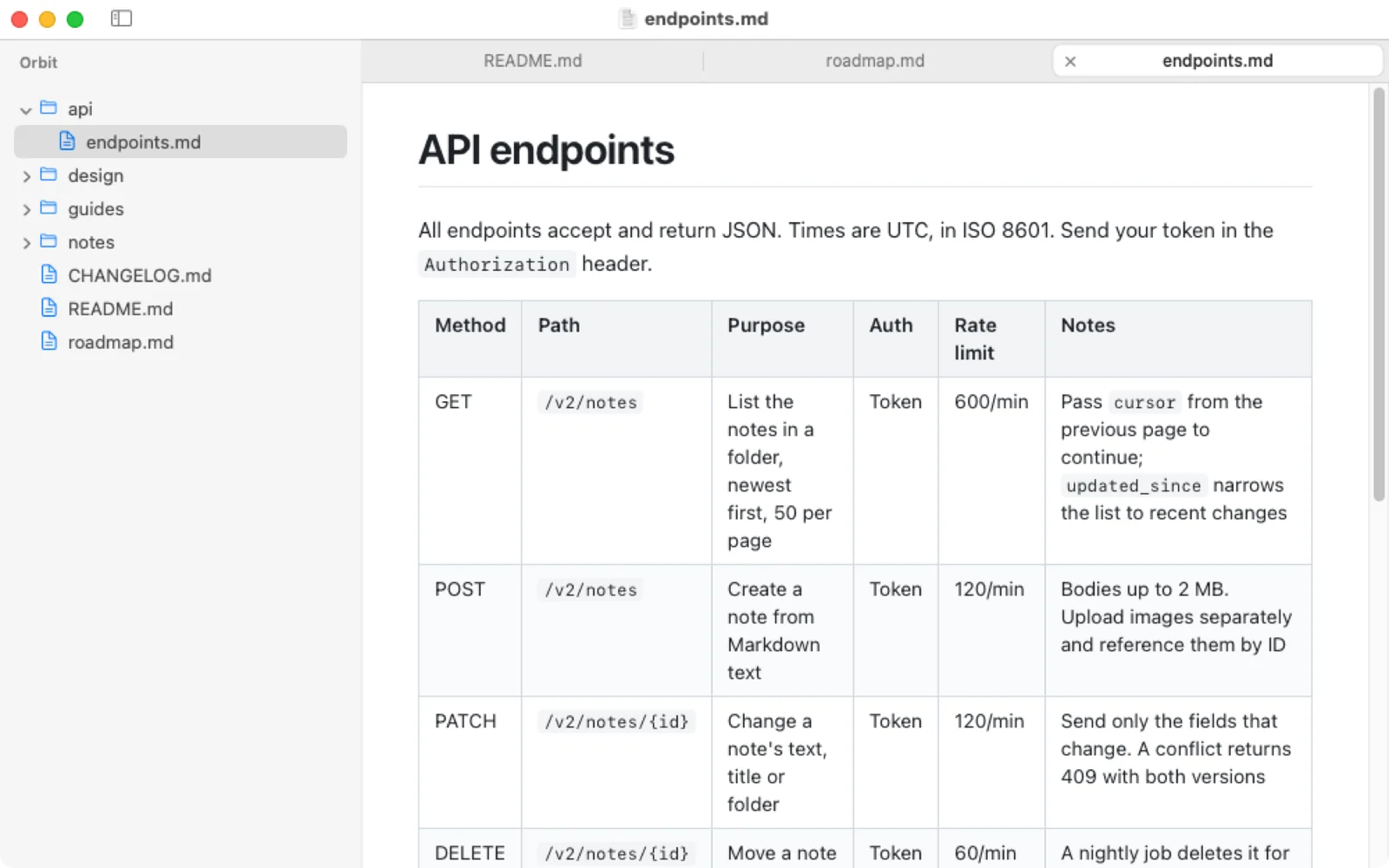
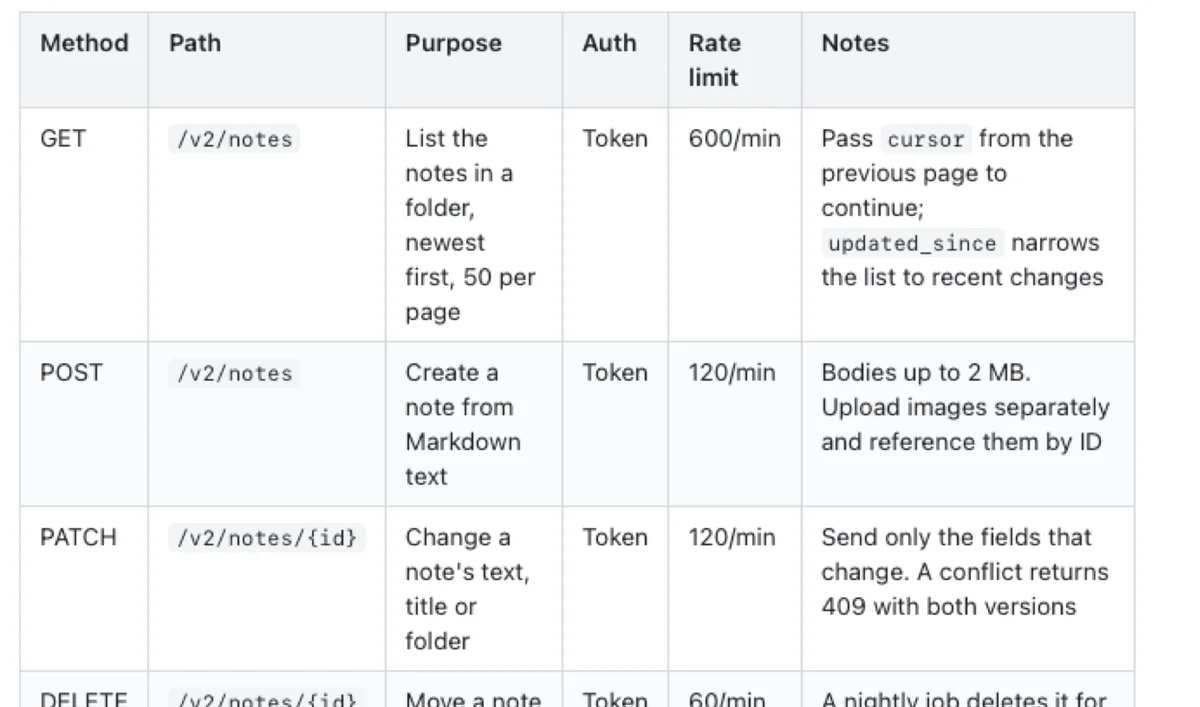
No narrow reading column. Text and tables use the whole window, with margins you can tune.
Pagewide is a small, native Markdown viewer for Mac, made for reading the notes, docs and READMEs you live in. Open a folder, flip between files in tabs, and see every table whole, with no sideways scrolling and no editor in the way.
For Claude Code, Codex and Cursor
Plans, specs, research notes, handoffs. Coding agents write them faster than you can open them. Keep Pagewide beside the terminal and read each one as it lands.
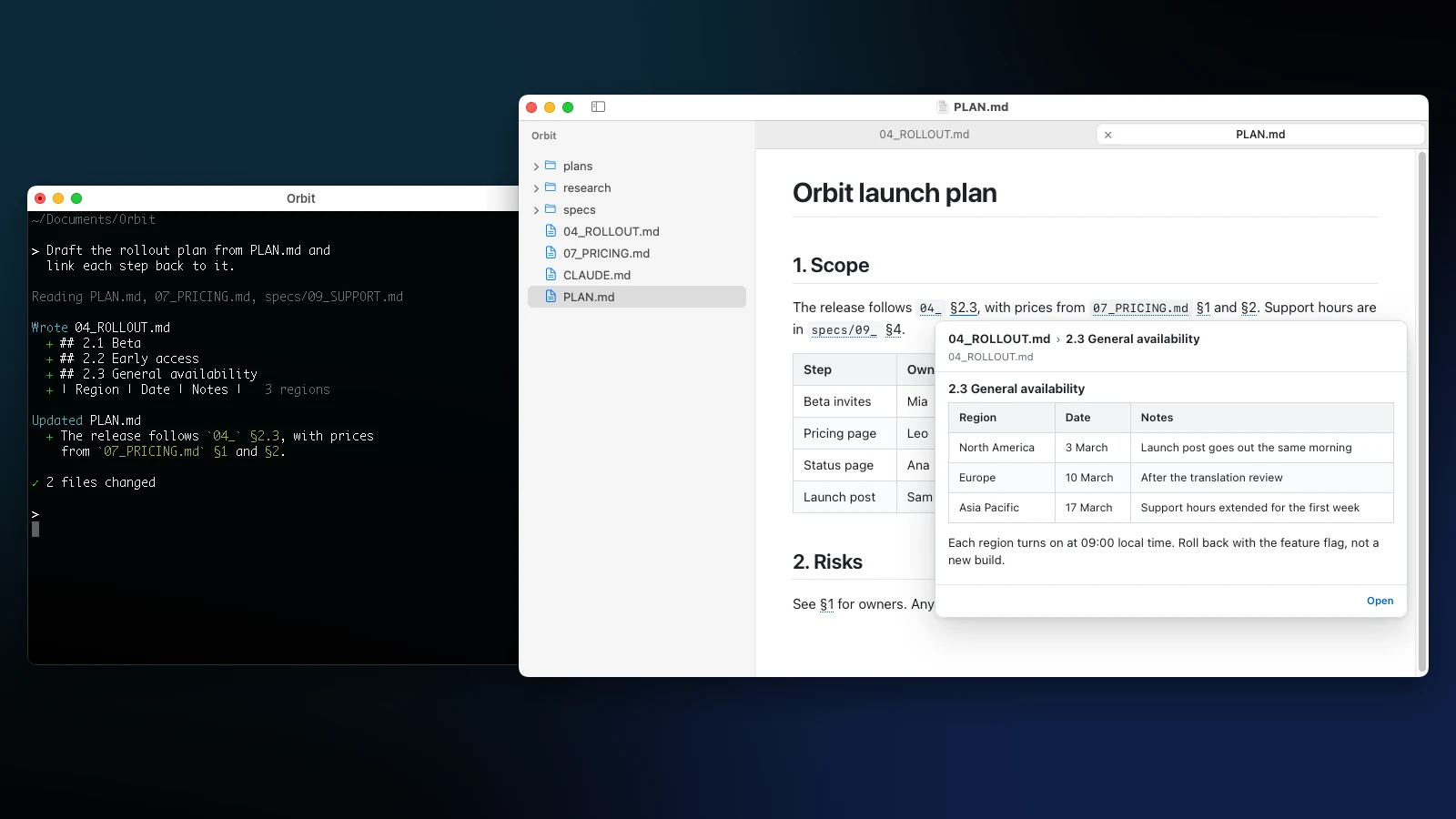
New files appear in the sidebar the moment your agent writes them. Open pages update in place, at your scroll position.
No cursor to nudge and no raw syntax. Pagewide never writes to your files, so it never trips up the agent. Wide comparison tables fit the window.
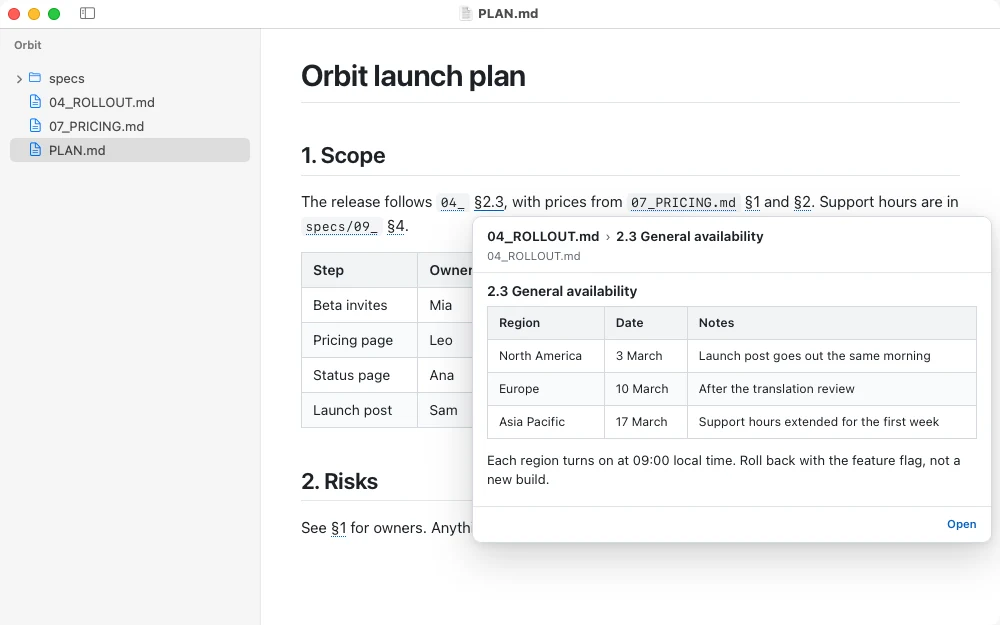
"Per 03_ §4.2" becomes a link. Point at it to preview the section, click to open it right there.
Works with Claude Code, Codex, Cursor, or anything else that writes Markdown. CLAUDE.md, AGENTS.md and plan files show up rendered, not raw.
Features
No editor pane, no raw syntax, no cursor. Write in whatever you like; Pagewide shows the result the moment you save.
Wide tables span the page and wrap every cell, so you read the whole row at once. Long links and code break where they must, and nothing pushes the page wider. How it works.
Write "see 04_ §2.3" the way you always do. With a folder open, Pagewide turns file shorthand and section numbers into links: point at one to preview the section, click to open it right there. When several files match, pick the right one in the preview. Nothing to set up. How references work.
No narrow reading column. Text and tables use the whole window, with margins you can tune.
Save in any editor and the page updates in place. You stay exactly where you were.
A project's Markdown as a tree in the sidebar. It updates as files come and go.
A tab bar on top, or a list in the sidebar. Drag to reorder, ⌘1 to ⌘9 to jump.
GitHub, Serif, Sepia, Night and more, switched instantly. Add your own CSS too.
⌘F to find, ⌘= to zoom, and Save as PDF that keeps your theme's type.
Markdown can't run scripts, load frames or send forms. Read-only, always.
Open any text file read-only: Markdown is rendered; code, data and plain text files are shown exactly as written.
Folders & Tabs
Open a folder with ⇧⌘O and its Markdown appears as a tree. Click a file to open it in a tab. The tree follows along, and live-updates when files are added or renamed. Need two files at once? Put them side by side in one tab.
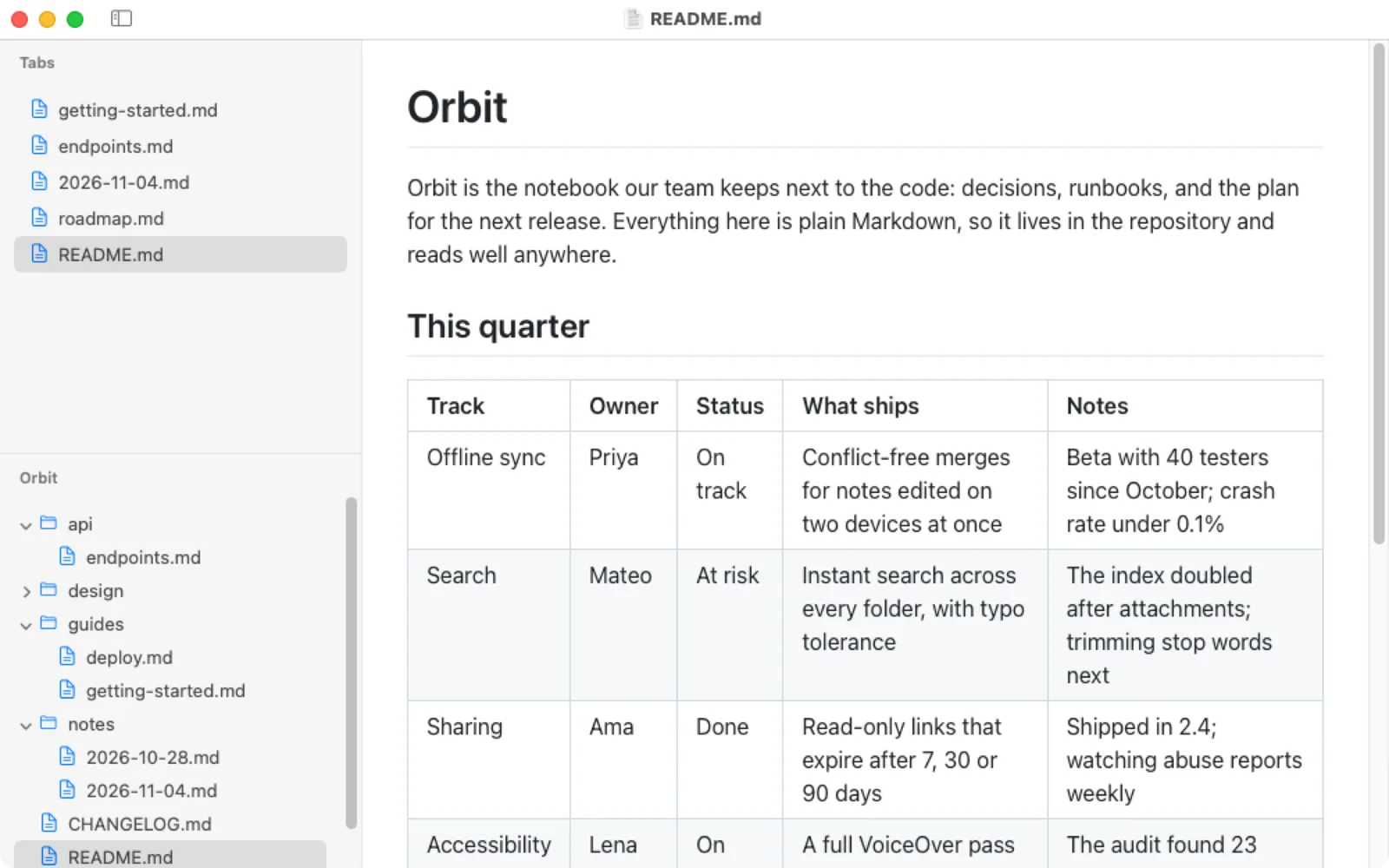
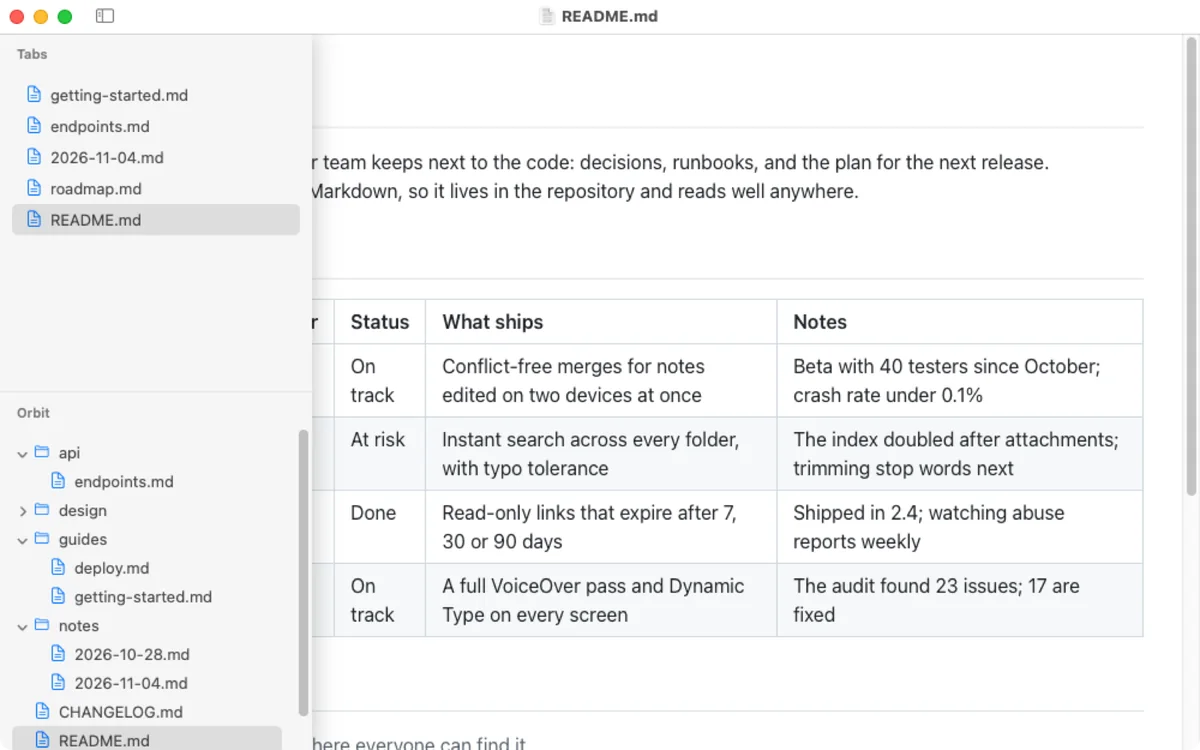
Point at the sidebar button to slide the sidebar over the page. Click it to keep it open.
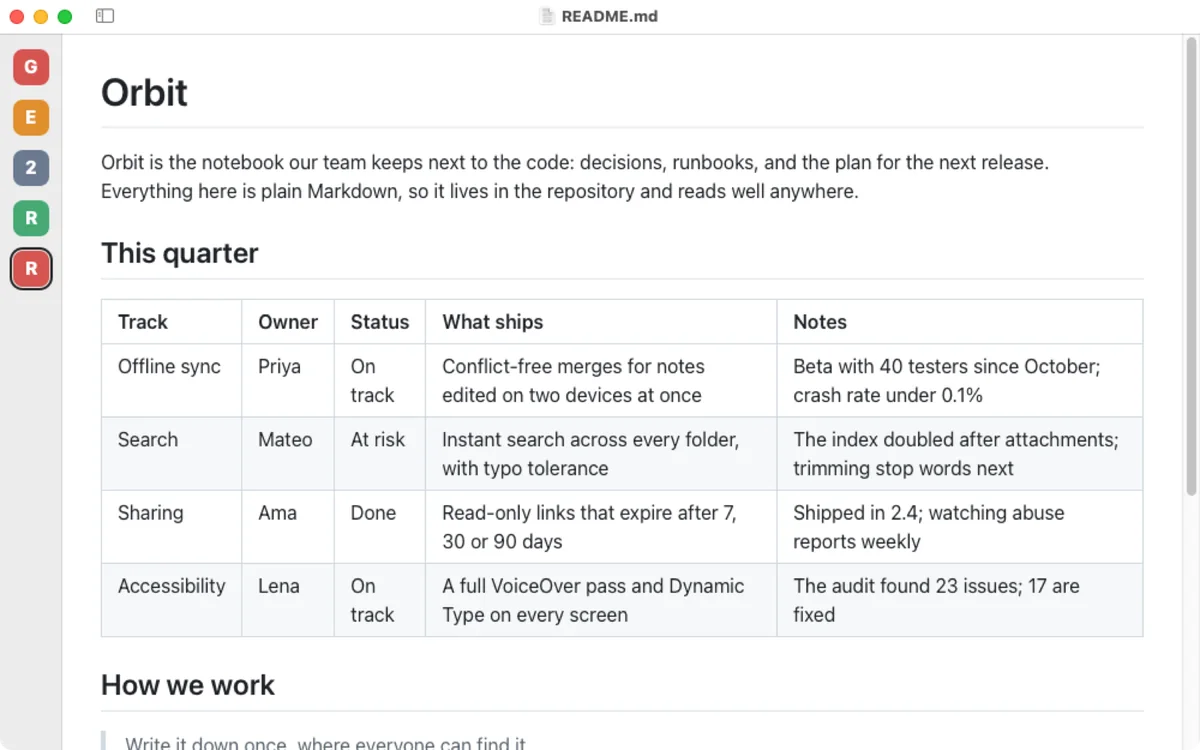
Hide the sidebar and every open file stays one click away, as a tile with its first letter.
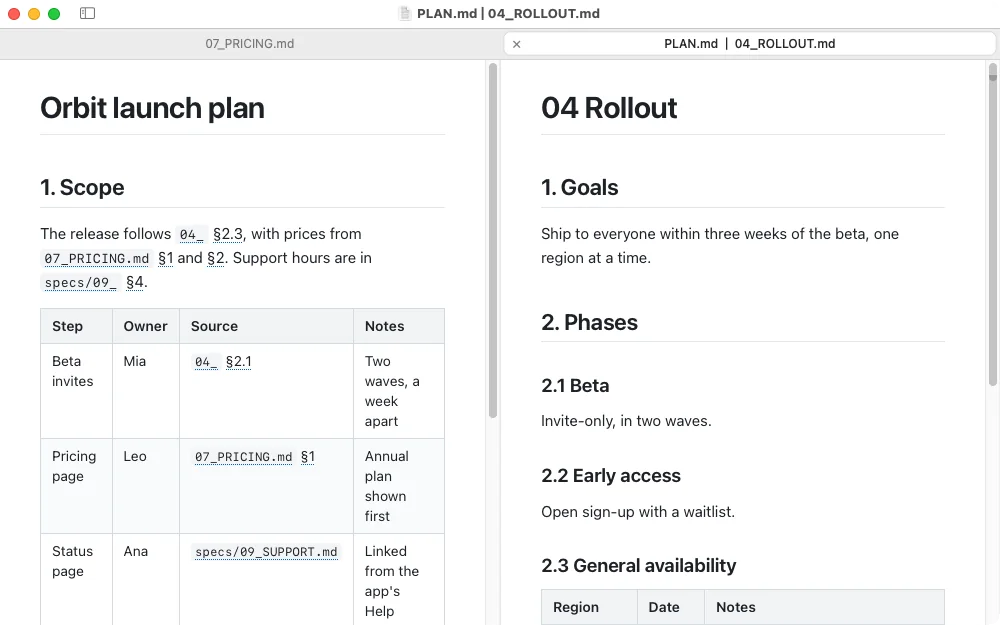
Right-click a tab and choose Show in Split View to read it beside the one you're on, with a divider you can drag. Split Tab puts them back in tabs of their own.
Themes
Pick one from View › Theme, or step through them with ⌥⌘]. Your place on the page stays put. Every theme follows light and dark mode, except Night, which is always dark.
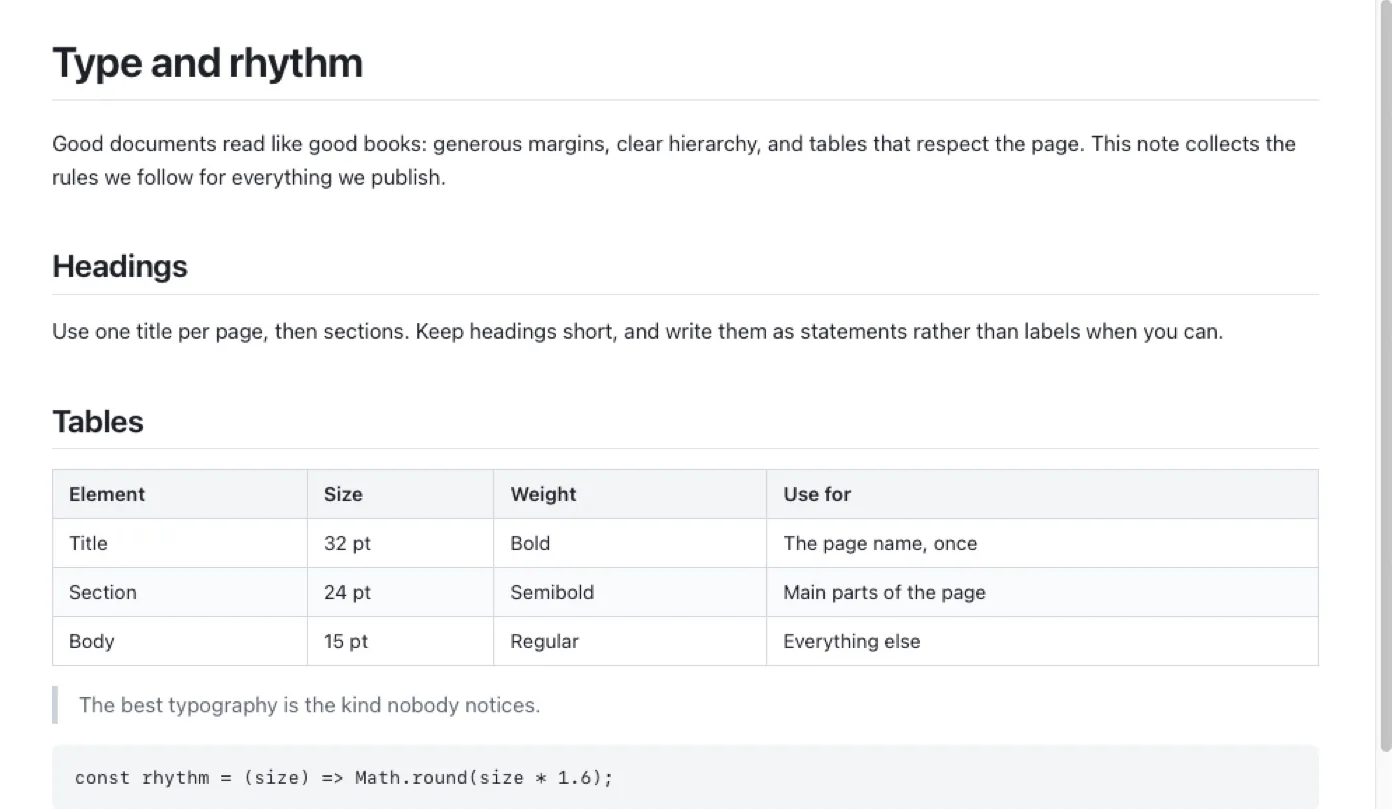
Want your own? Drop a .css file in the themes folder and it joins the menu.
Pricing
No subscription and no account. Buy it once and it's yours.

For Mac
$15one-time
Secure checkout by Gumroad. Your download link arrives by email.
FAQ
No, and that's on purpose. Pagewide is a viewer. Keep writing in the editor you like; Pagewide reloads the page the moment you save.
Any Mac with macOS 12 Monterey or later. It's a universal app, native on both Apple silicon and Intel.
No. It's built with Apple's AppKit and WebKit, which is why it's under 2 MB and opens instantly.
Any text file, read-only. Markdown is rendered, in all its usual spellings (.md, .markdown, .mdown, .mkd, R Markdown .rmd, Quarto .qmd), with YAML front matter as a quiet block at the top. Code, data and plain text files (.py, .json, .yml, .csv, .log, .txt and the rest) are shown exactly as written. Images, PDFs and other binary files stay in Finder.
Yes. Pick one of eight themes, add your own stylesheets to the themes folder, or put small tweaks in a custom.css that applies on top of every theme. Press ⌘R to see your changes.
No. There's no account, no analytics and no tracking. The only time Pagewide touches the network is to show images that your Markdown links to.
In Finder, select any .md file and press ⌘I. Under "Open with", choose Pagewide, then click "Change All…".