Themes and custom CSS
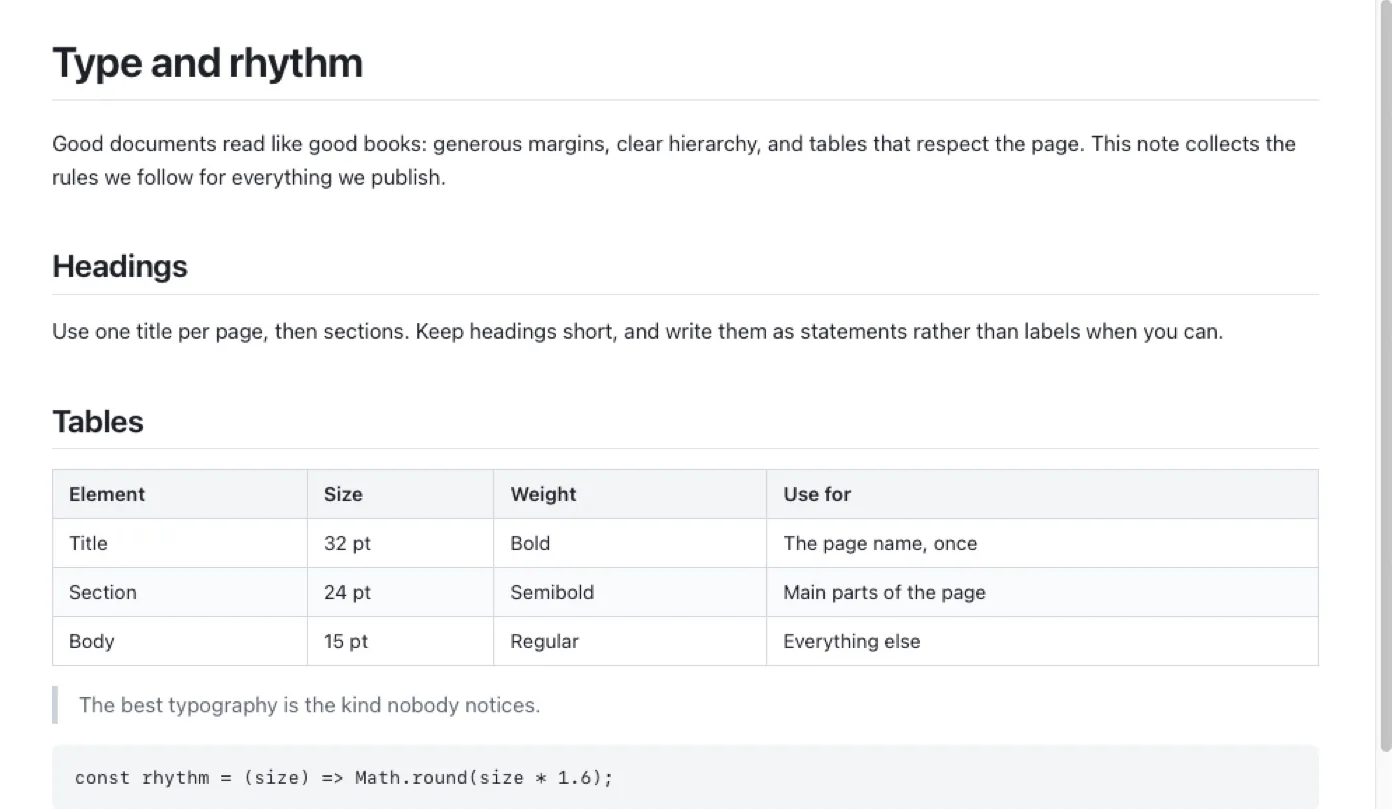
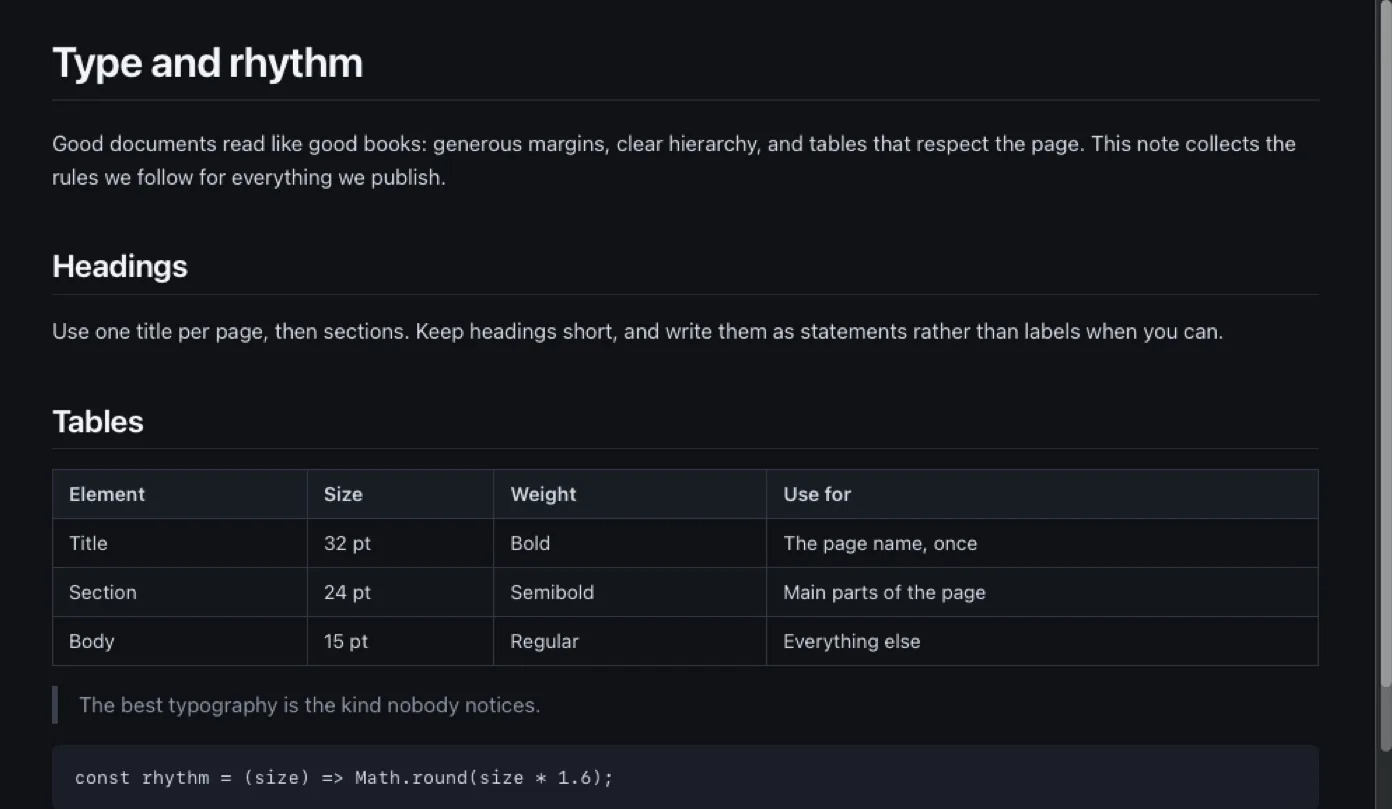
Pagewide has eight built-in themes, in View › Theme. Step through them with ⌥⌘] and ⌥⌘[. To add your own, put a .css file in Pagewide's themes folder (View › Theme › Open Themes Folder). For small changes on top of every theme, create a custom.css file. Press ⌘R to see edits.
The eight built-in themes
| Theme | Look |
|---|---|
| Pagewide | The default: clean sans-serif, full width |
| GitHub | Close to how GitHub shows a README |
| Serif | Book type for long reading, still full width |
| Sepia | Warm paper tones with serif type |
| Solarized | Ethan Schoonover's Solarized palette, light or dark |
| Night | Always dark, whatever the system setting |
| Typewriter | Monospaced, with Markdown's # marks on headings |
| Compact | Smaller type and tighter spacing, so more of a big table fits |
Every theme except Night follows the system's light or dark mode. Switching theme keeps your place in the document.
Add your own theme
- Choose View › Theme › Open Themes Folder. This opens
~/Library/Application Support/Pagewide/themes/in Finder. - Put a
.cssfile there. A copy of a built-in theme is a good starting point. - Open View › Theme again. Your theme appears in the menu under its file name.
A theme is layered over Pagewide's base style, so it only needs the rules it changes. Most themes just set the variables below.
Tweak every theme with custom.css
Create ~/Library/Application Support/Pagewide/custom.css. It loads after the theme, so anything in it wins, whichever theme is chosen. Some examples:
:root { --font-size: 16px; --gutter: 24px; }      /* bigger text, slimmer margins */
table { width: auto; }                             /* size tables to their content */
body { --body-font: "Charter", "Iowan Old Style", Georgia, serif; }  /* serif body */
Pagewide reads themes and custom.css fresh from disk each time it applies them. After editing either one, press ⌘R to reload the page with the change.
Every variable a theme or custom.css can set
| Variable | Sets |
|---|---|
--bg, --fg | Page background and text colour |
--muted | Secondary text |
--rule, --border | Horizontal rules and table borders |
--head-bg, --zebra | Table header background and alternate row shading |
--code-bg | Code background |
--link, --mark | Link colour and highlighted text |
--quote-bar | The bar beside block quotes |
--body-font, --mono-font, --heading-font | Fonts for text, code and headings |
--font-size, --line-height, --code-size | Text size, line spacing and code size |
--heading-weight | How bold headings are |
--gutter | The margin at the sides of the page |
Themes and printing
A printed page always uses dark text on white, in the current theme's fonts. So a dark theme on screen still prints cleanly. Printing and saving as PDF has the rest.
Questions
My theme doesn't show up in the menu. Why?
Check that the file ends in .css and sits directly in the themes folder, not in a subfolder. Then open View › Theme again, since the menu is rebuilt each time it opens.
Can a theme change how tables fit?
Yes. A theme or custom.css can change table rules, for example table { width: auto; } to size tables to their content. Pagewide still checks that each table fits the window.
Does custom.css work with my own themes too?
Yes. custom.css loads after whichever theme is chosen, built-in or your own, so its rules apply on top of all of them.